From your first reading to floor plans, Eight Mansions and the annual flying stars. A screen-by-screen guide to the steps people most often ask about.
指南
Before you start: Version 3.0.0 brings Flying Star and Eight Mansions together on the Home Feng Shui screen. Check the direction with Compass, then switch to 9 Directions to choose either method. Select a direction and tap Details to see both results on one screen.
The app builds the Flying Star chart from the year you moved in and the facing direction of your home. Automatic measurement needs location access. If the direction is unstable, you can enter it manually.
1 First setup
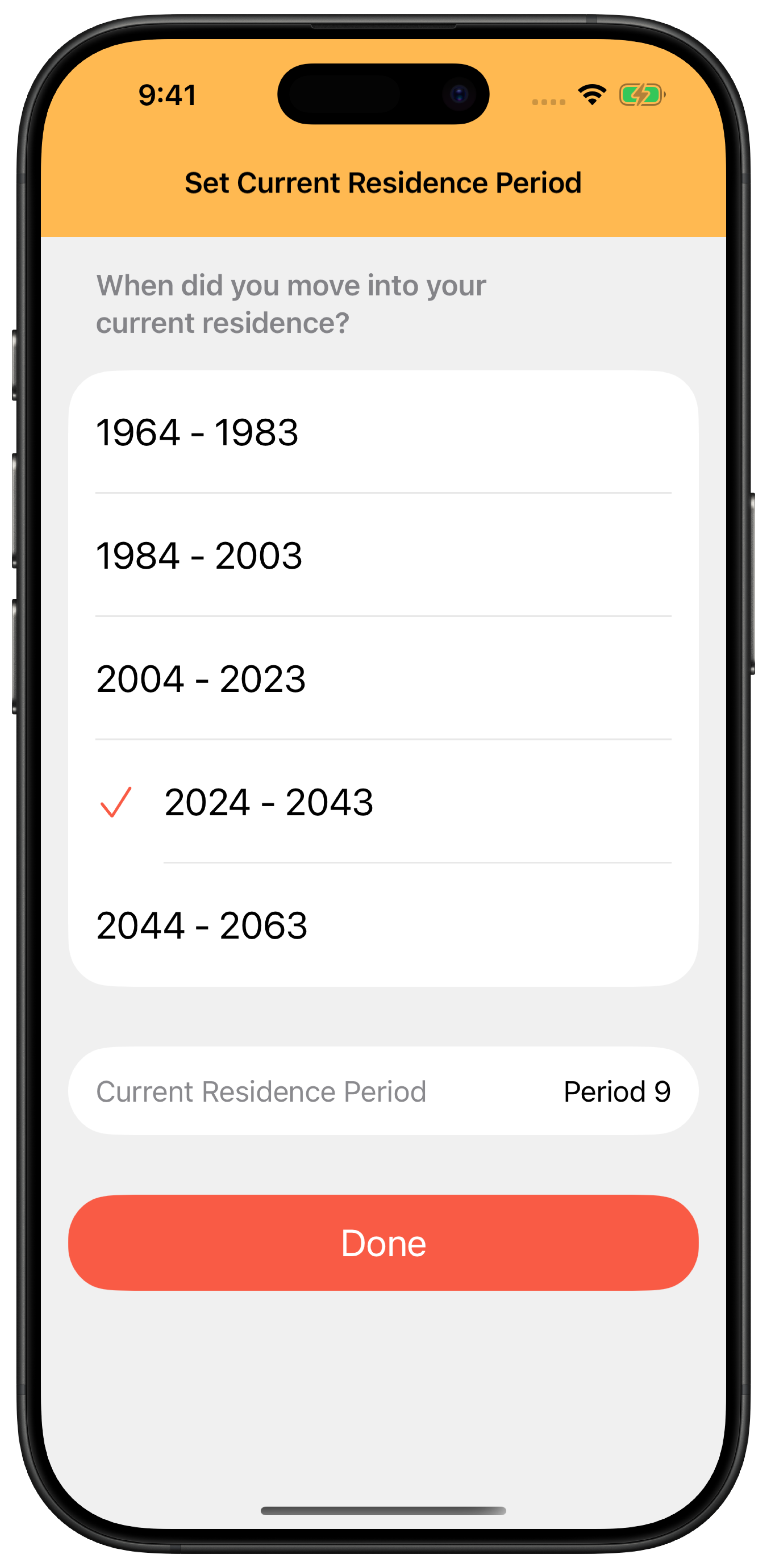
Choose the year you moved in
When you first open the app, choose the year you moved into your current home. The app uses this year to set the Period and build the chart. To change it later, open Period Setting from Settings at the top right of Home Feng Shui.
Choose the range containing your move-in yearThe corresponding Period appears near the bottom of the screen.
The move-in year, not the construction year
The app uses the year your relationship with the home began. Even for a pre-owned or renovated home, choose the year you moved in.
2 Flying Star
Measure toward the facing direction
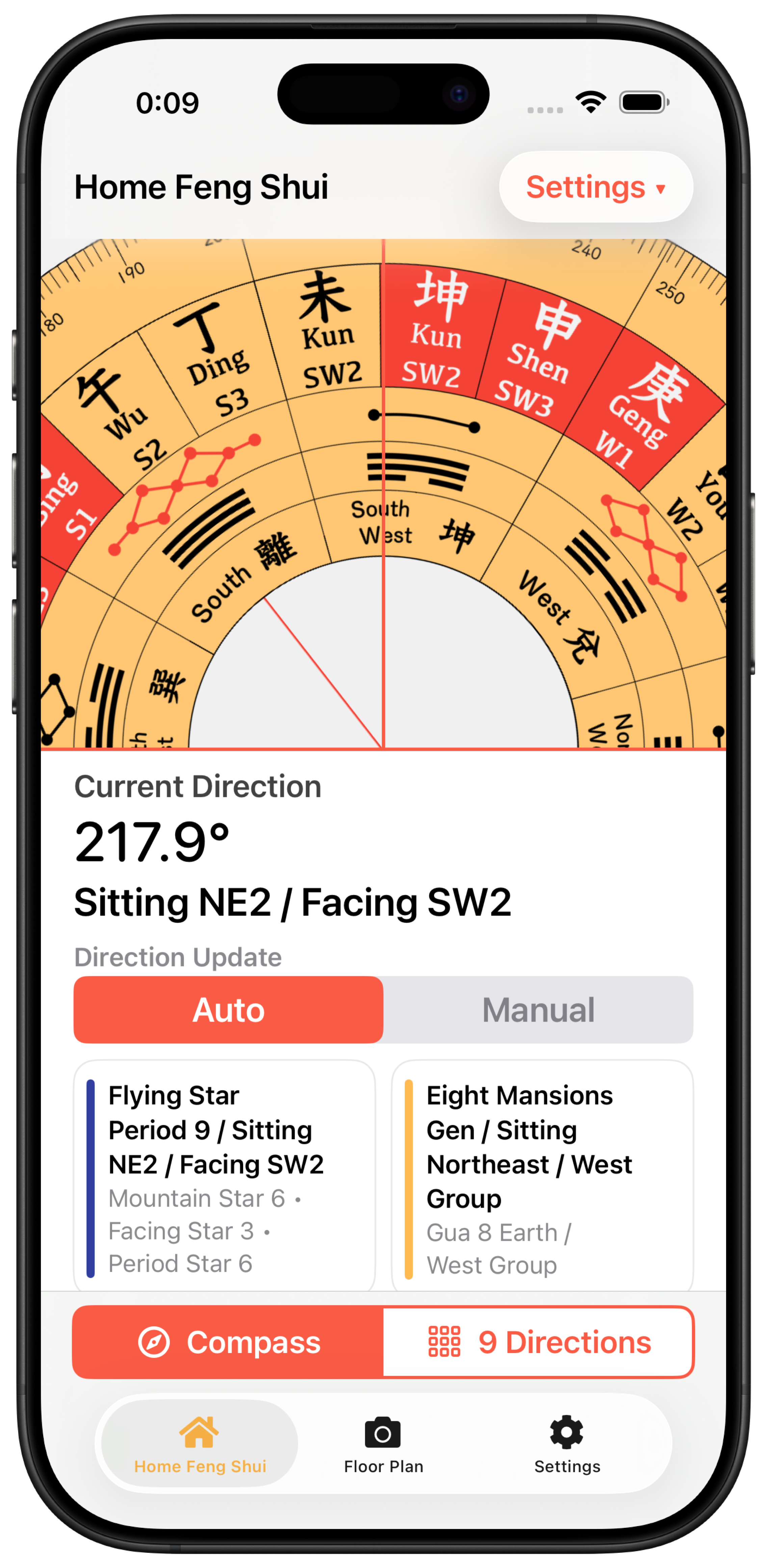
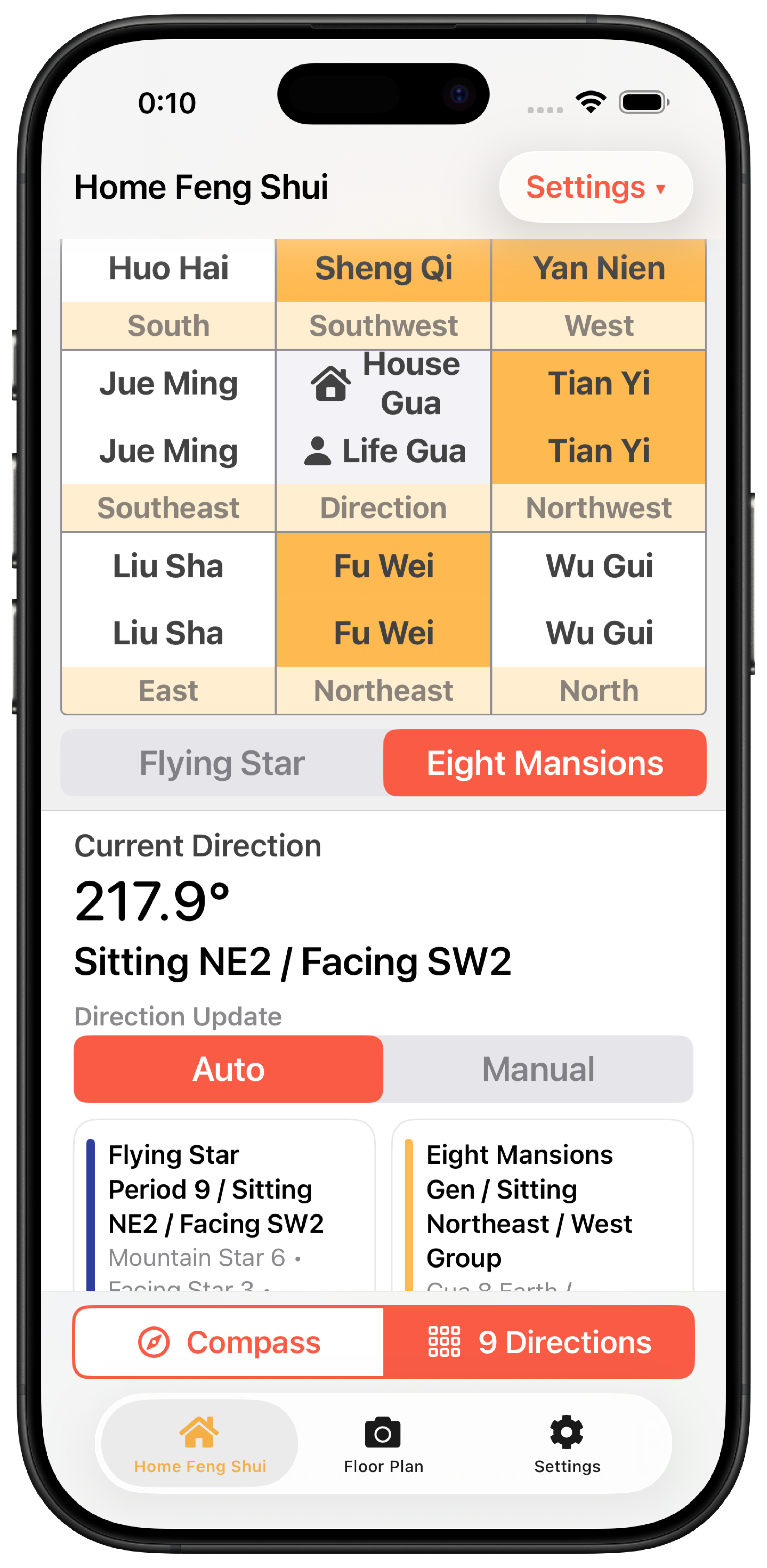
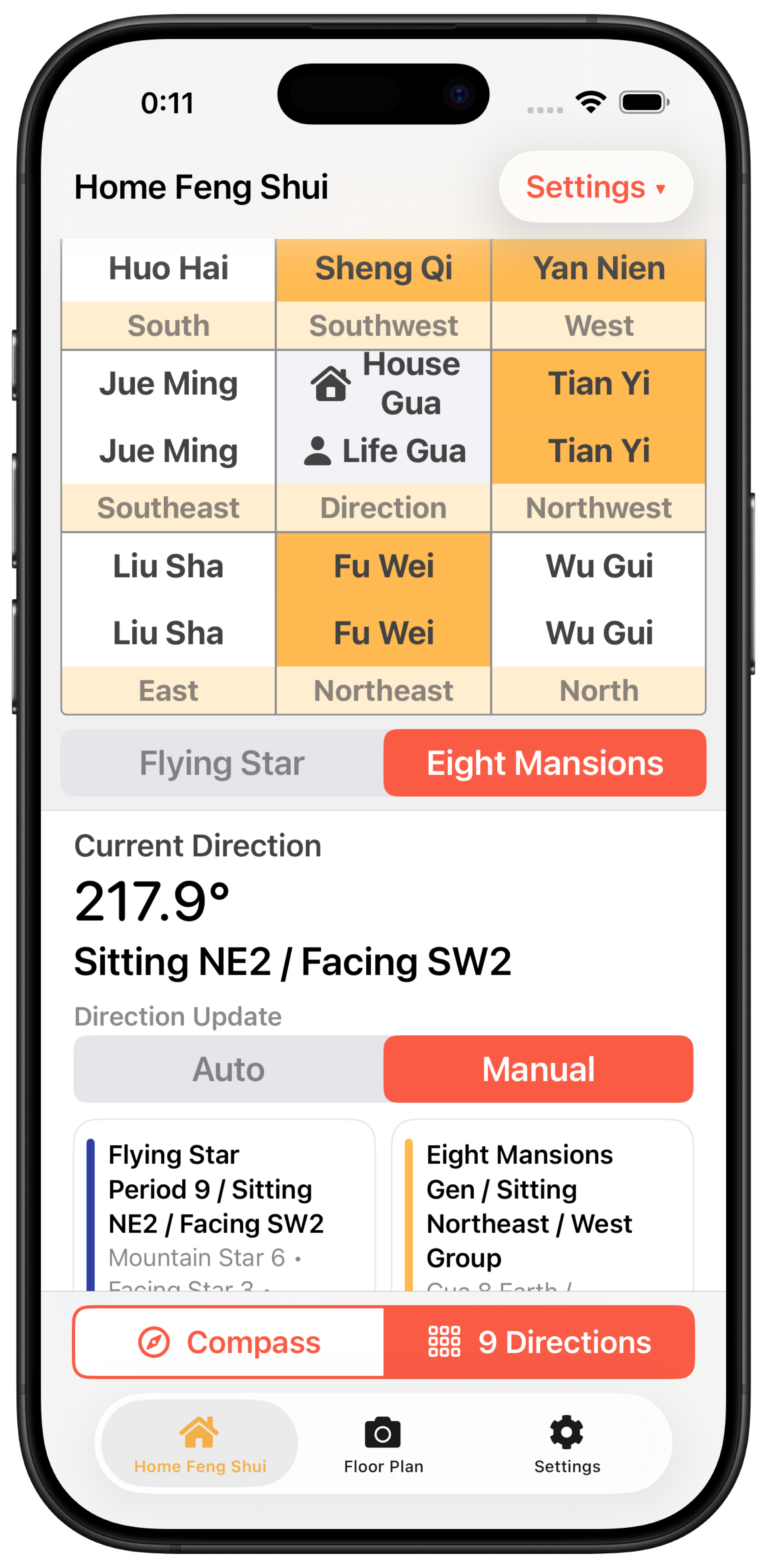
Choose Compass at the bottom of Home Feng Shui. To measure automatically, allow location access. Hold your device level, around your lower abdomen, and point it toward the facing direction of your home.
Switch direction updates between Auto and ManualIn Auto, the direction follows your device. In Manual, you can turn the Luopan with your finger, or tap it with two fingers to enter an exact angle. The two cards below summarize Flying Star and Eight Mansions side by side.
Which way is the facing direction?
Use the side with the most outside air, view, daylight and openness. Houses often use the entrance and apartments the balcony, but decide based on your own home.
Tips for a stable reading
Stay away from magnets, metal and appliances, and measure outside the entrance or on the balcony. If your case has a magnet, take it off and measure again.
3 Results
Read the numbers on the chart
Choose 9 Directions at the bottom of Home Feng Shui, then select Flying Star below the grid. The nine-square chart uses the same facing direction you measured.
Three numbers in each directionTop left is the Sitting Star (health and relationships), top right is the Facing Star (wealth and career), and the bottom number is the Period star (the home as a whole). An orange background marks a lucky Facing Star.
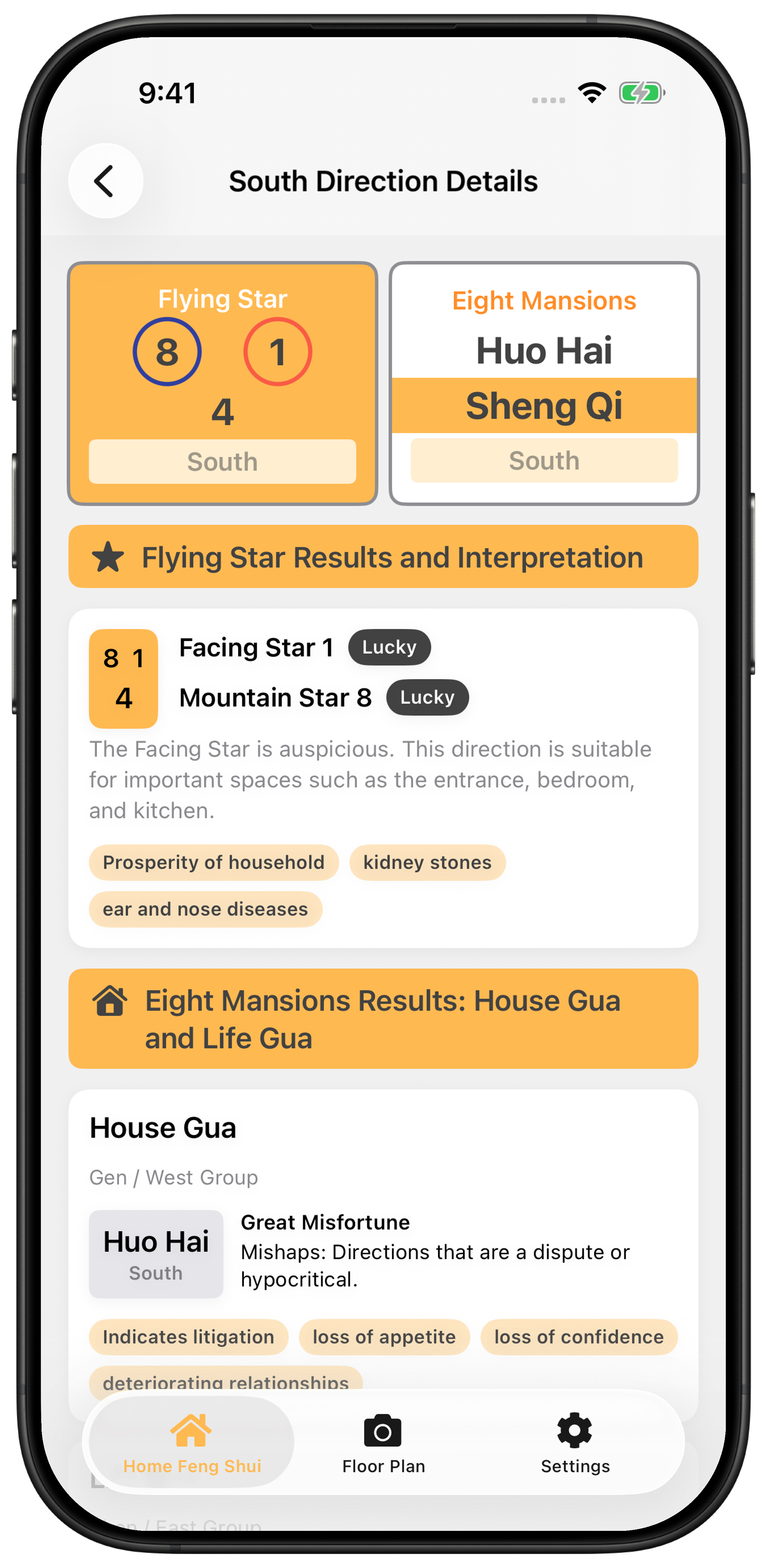
Tap a direction for a summary of its Flying Star and Eight Mansions results. Tap Details to see both interpretations and guidance for that direction.
1 · 8 · 9Lucky. Shown with ○ in the app
2 · 3 · 5 · 7Unlucky. Shown with × in the app
4 · 6Neutral. No mark
As one guide, check whether important spaces such as the entrance, bedroom and kitchen sit in directions with a lucky Facing Star (1, 8 or 9).
4 Floor plans
Import a floor plan for a reading
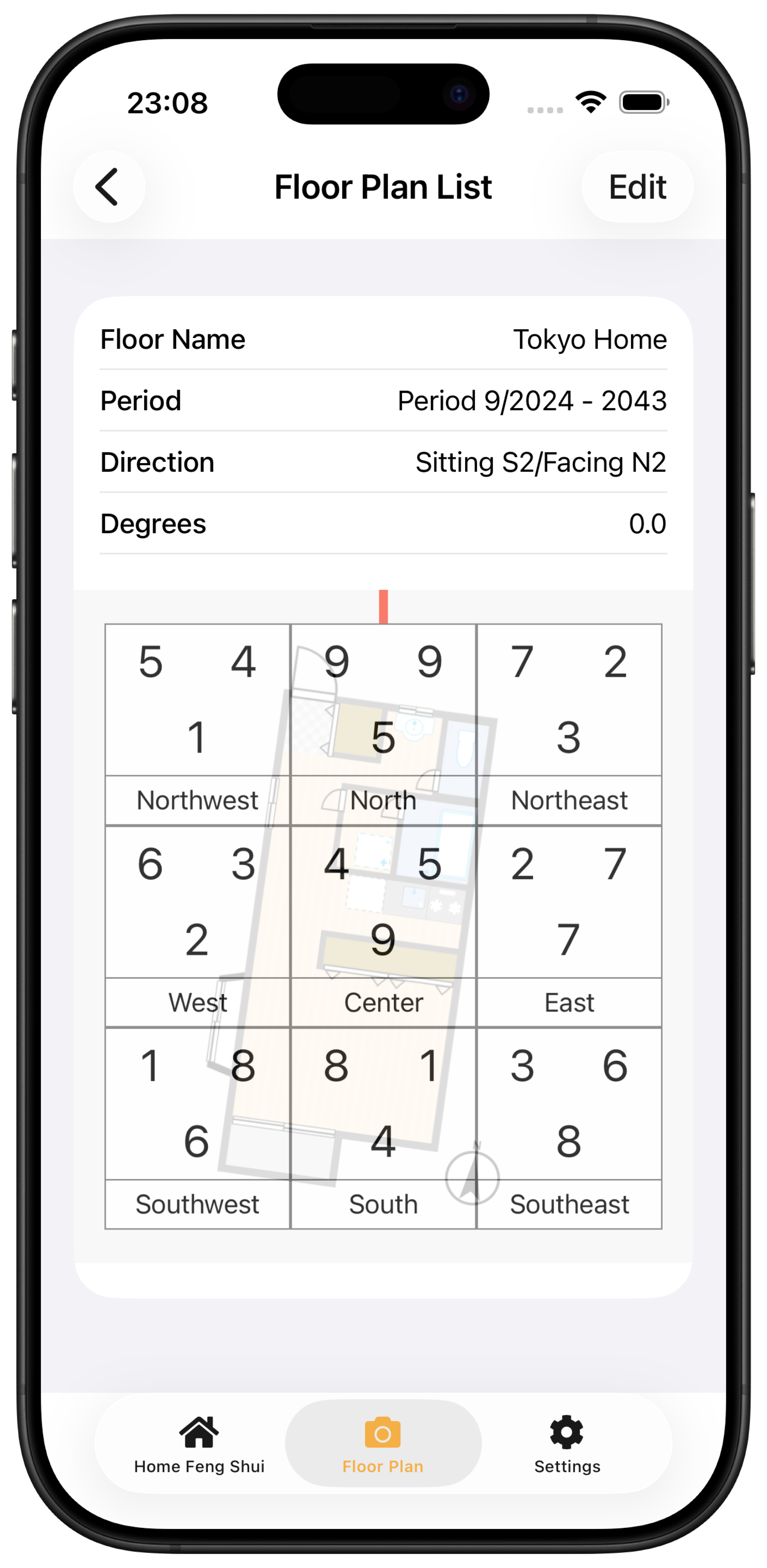
From the Floor Plan tab, import a floor plan from the camera or your photo library. You can check a home before you move in, and save the plans you set up.
Choose the floor plan image and place the center of the home in the center of the screen.
Rotate the image so the north mark on the plan points up.
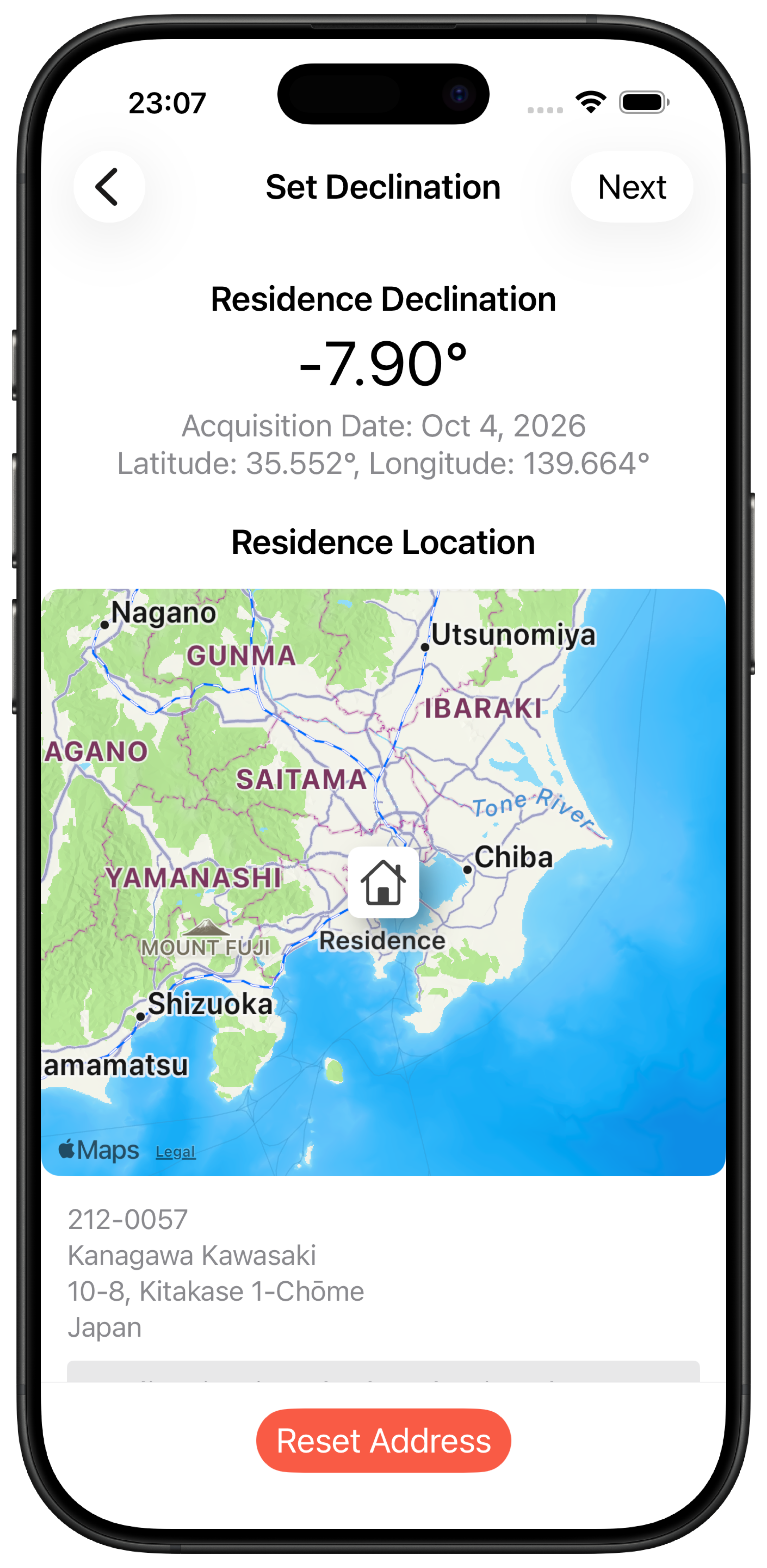
Pick the home's location on the map to set the declination.
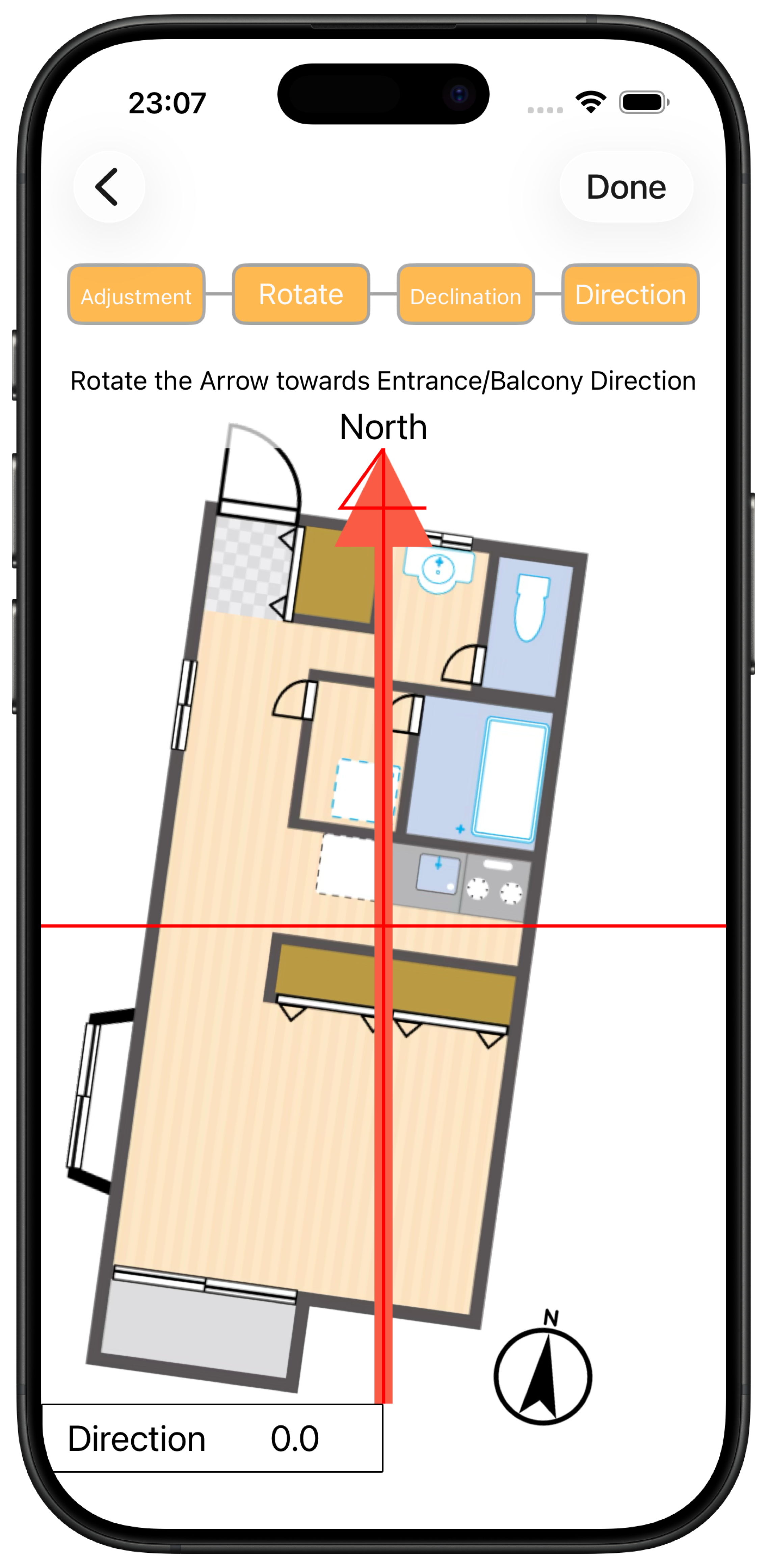
Point the red arrow toward the facing direction, such as the entrance or balcony, and confirm.
Set the facing direction lastPoint the red arrow toward the side where outside air comes in, such as the entrance or balcony. Note that north and the facing direction are set separately.Save floor plans by nameSave your home and the homes you're considering, then compare them with the chart overlaid.
5 Correcting the plan
Calculate declination from the map
North on a floor plan is usually true north, but a feng shui Luopan uses magnetic north. To correct the difference, called declination, pick the home's location on the map.
Search an address or use your current locationPlace the house icon on the home, and the app calculates the declination with the IGRF-14 model. Unlike older versions, you don't need to look it up on another site and type it in.
6 Eight Mansions
Match your Life Gua with the House Gua
Eight Mansions feng shui compares your Life Gua, based on your birth date and gender, with the House Gua, based on the home's facing direction. Register your Life Gua through Settings → Life Gua Setting at the top right of Home Feng Shui. Because the year changes at the Start of Spring, enter your birth date accurately if you were born before it.
Choose 9 Directions, then Eight MansionsThe top result in each direction is for the House Gua; the bottom result is for the Life Gua. Orange highlights mark the favorable directions for each.See both methods in Direction DetailsTap a square in 9 Directions, then Details. The page shows the Mountain and Facing Stars alongside the House Gua and Life Gua results.
7 The year ahead
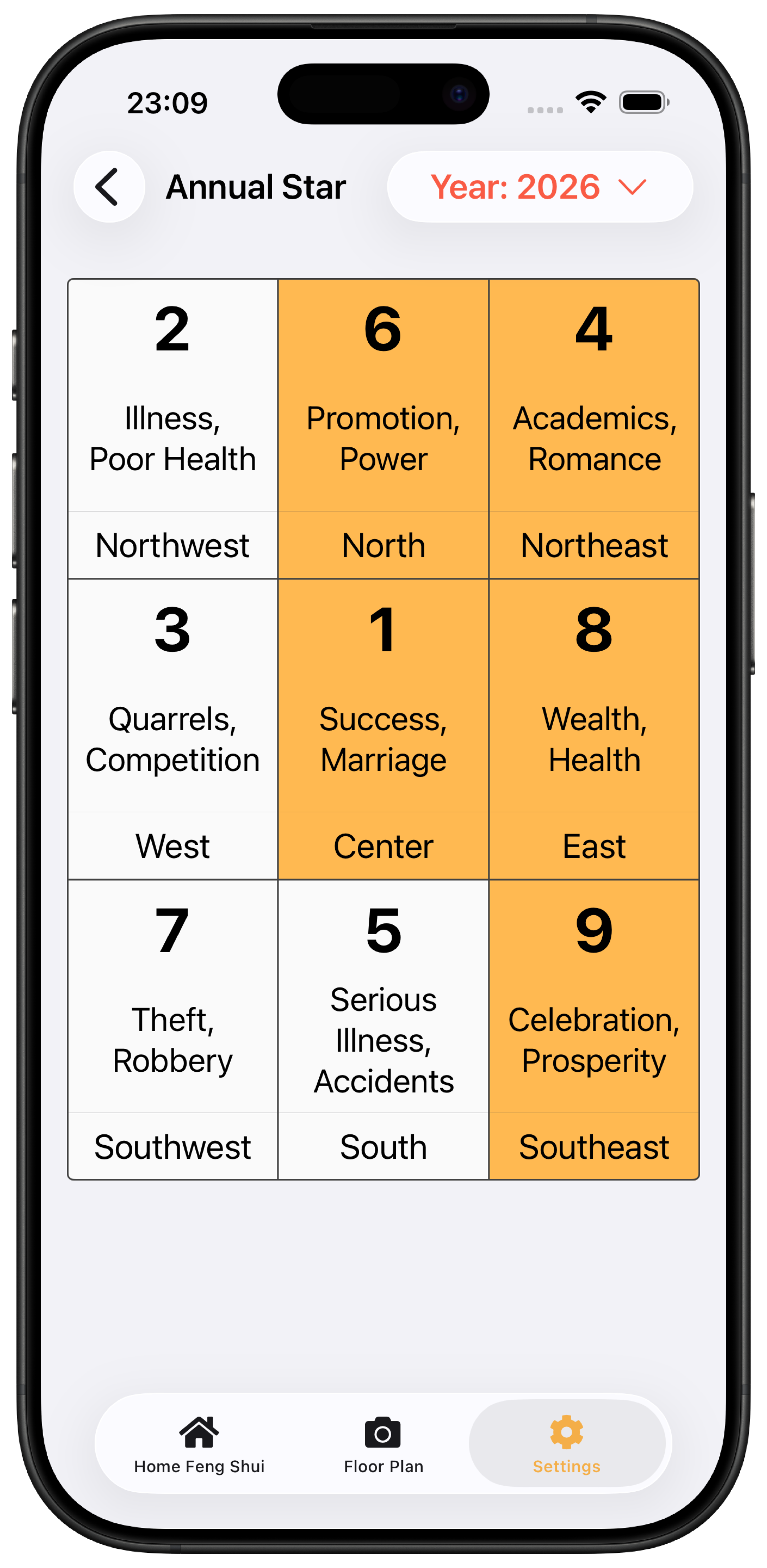
See the year with the annual flying stars
Open Annual Flying Star from the Settings menu at the top right of Home Feng Shui. Switch years to review each direction's themes, such as wealth, health and study, across the nine squares.
Change the year at the topOrange directions have lucky numbers; white directions do not. Use them together with the description for each square.